How to apply for data sources on CODE-DE-Lab
Use Data Applications in the CODE-DE-Lab Dashboard to request access to restricted archive data or to request a new PlanetScope acquisition. Each request is reviewed before access or acquisition can be approved.
Prerequisites
No. 1 Dashboard, Horizon, and organization access
Use an active CODE-DE-Lab account with access to the organization for which the data will be used. Sign in to the Dashboard at https://tenant-manager.code-de.org and confirm that Horizon opens at https://identity.cloudferro.com/auth/realms/CODE-DE3/account/. Before continuing, make sure that your profile, affiliation, and organization details are current and that the intended organization is available.
No. 2 Project and contact details
Prepare a short project title, the project manager’s contact details, the project objective, the requested datasets, the expected results, and the project timeline. Also identify any collaboration partner and the source of project funding.
No. 3 Area and acquisition requirements
For a new PlanetScope acquisition, determine the requested date range, the investigation area in square kilometres, and the number of coverages required per month. Prepare a map or another supporting document if it will help the reviewer understand the area of interest.
Open Data Applications
In the Dashboard, select Support → Data Applications and start a data request. The Request data page offers two request types:
Archive Data for data that has already been acquired and is available from one of the listed sources.
New Data for a new PlanetScope acquisition over a specified area and period.
Required fields are marked with an asterisk (*). The exact fields and
license agreements displayed on the form depend on the selected data source.
Archive Data
Select Archive Data, then choose RESA Data, Thermal Data, BKG Data, or EnMAP Data. Selecting an option opens the corresponding request fields below the data-source cards.
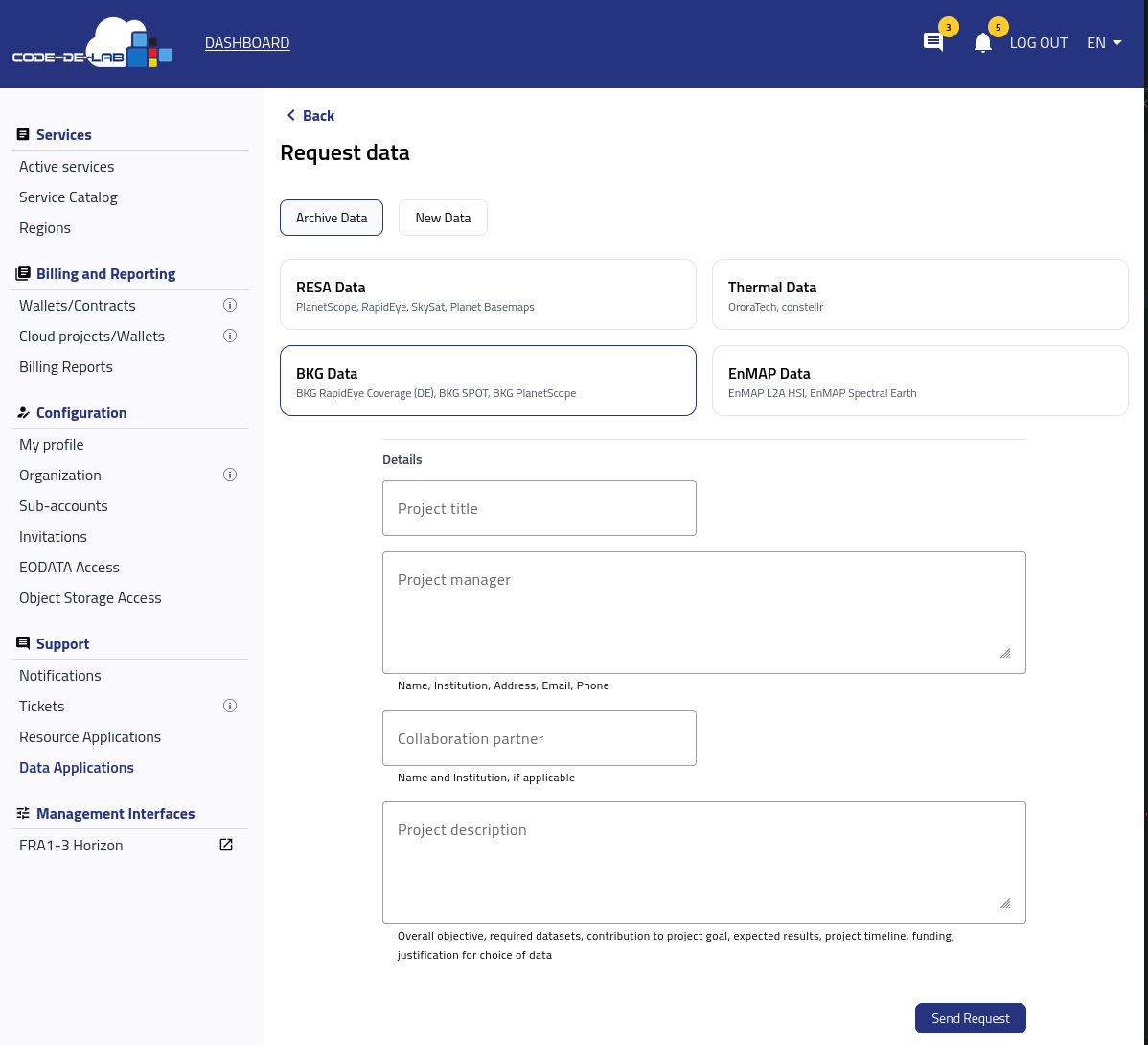
Archive Data choices and the common project details fields.
Complete the common fields as follows:
Project title — Enter a short, distinctive title that identifies the project and its main subject or area. Use the same title in supporting documents so that they can be associated with the request.
Project manager — Enter the manager’s full name, institution, postal address, email address, and telephone number. This person should be able to answer scientific, technical, licensing, and organizational questions about the request.
Collaboration partner — Enter the partner’s name and institution when another organization contributes to the project or will work with the requested data. If the field is mandatory for the selected source and the project has no collaboration partner, ask Support what information to provide before submitting the request.
Project description — Describe the overall objective, the datasets you require, how they contribute to the project goal, and the expected results. Include the project timeline, funding context, intended processing or analysis, and a clear justification for selecting this data source.
Warning
The example output images in the data-source sections below represent typical results and are provided for illustration only. They are intended to suggest what can be achieved with each data source; they are not actual provider imagery or a guarantee that a particular product, analysis, or result will have the same appearance.
RESA Data
RESA Data includes PlanetScope, RapidEye, SkySat, and Planet Basemaps. PlanetScope’s frequent multispectral coverage can support repeated monitoring of vegetation, agriculture, forestry, land use, infrastructure, and rapidly changing areas. The historical RapidEye archive adds a longer baseline for change detection, while its red-edge and near-infrared information is particularly useful for vegetation analysis.
SkySat provides much finer spatial detail for examining individual sites, small structures, localized damage, or changes that cannot be distinguished in medium-resolution imagery. Planet Basemaps combine selected scenes into consistent mosaics, making them useful for broad-area visualization, comparisons between time periods, map updating, and automated change-analysis workflows. In Project description, identify which of these products you need and explain how its spatial detail, spectral bands, archive depth, or observation frequency supports the planned result.
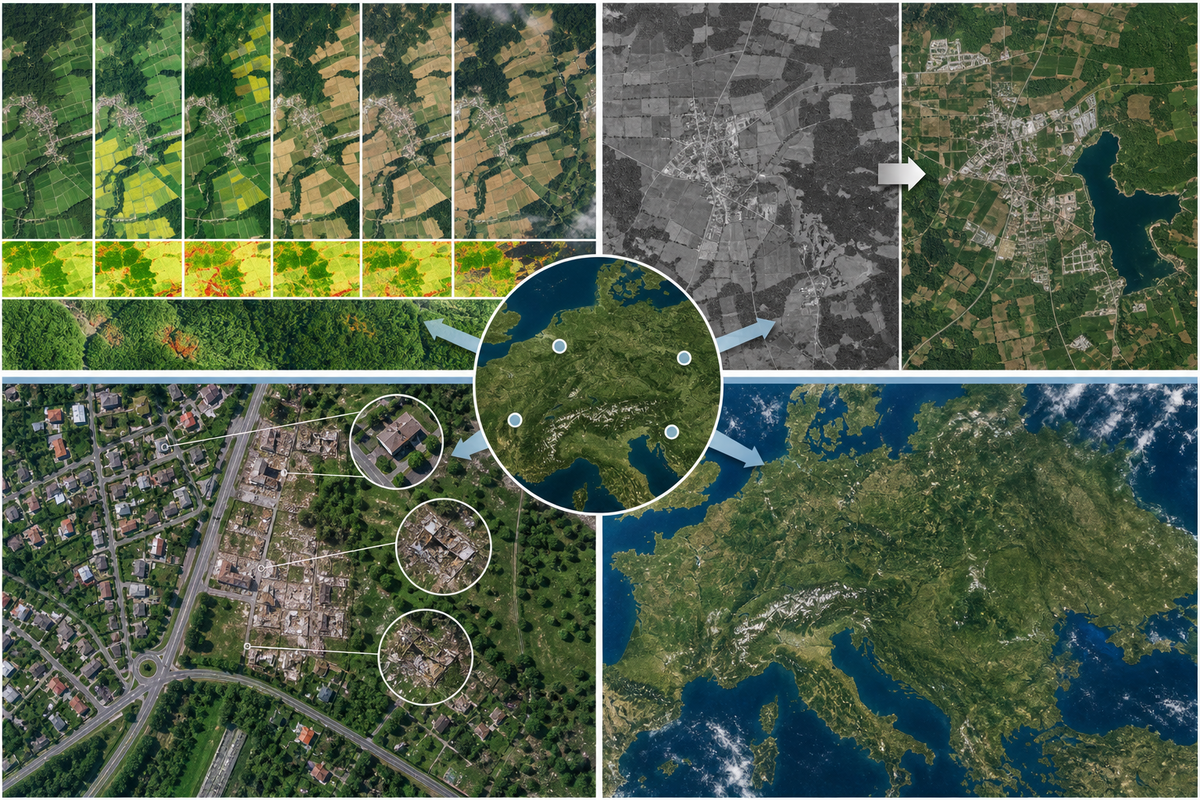
Illustrative RESA workflows: repeated observations for vegetation monitoring, historical change detection, detailed site inspection, and a regional basemap mosaic. This schematic does not show actual provider imagery or product output.
Thermal Data
Thermal Data provides access to OroraTech and constellr products. OroraTech thermal observations can be used to detect and monitor active wildfires, follow changes in fire intensity and extent, and improve situational awareness over remote or extensive areas. The observations can contribute to early-warning, emergency-response, forest-management, and post-event analysis when combined with other environmental and operational information.
constellr thermal intelligence can support the analysis of land-surface temperature, crop and vegetation stress, irrigation demand, drought effects, and urban heat. It can also help identify persistent or changing thermal anomalies in infrastructure and industrial areas. State which provider and thermal product you require, the phenomenon and area you will examine, the dates or seasons of interest, and how temperature information will contribute to the project’s decisions or outputs.
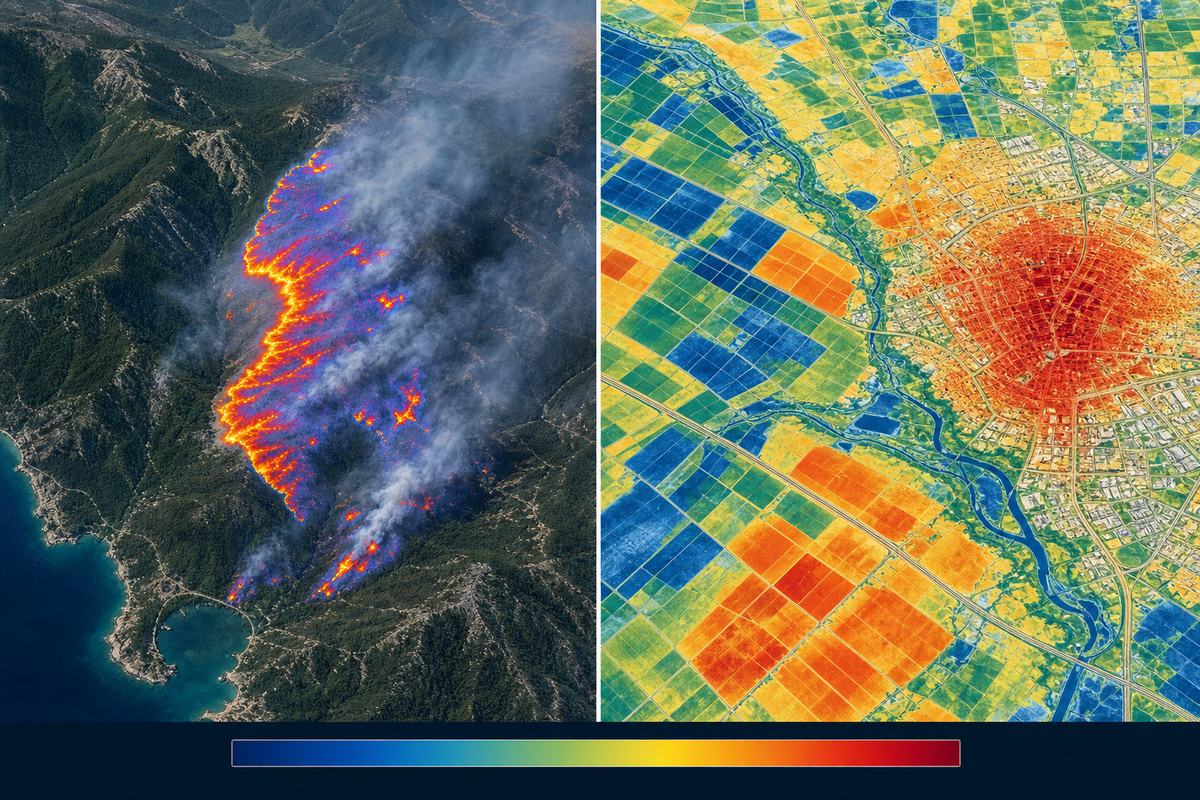
Illustrative thermal workflows: wildfire hotspot and fire-front monitoring alongside land-surface-temperature analysis for crop stress, irrigation, and urban heat. This schematic does not show actual provider imagery or product output.
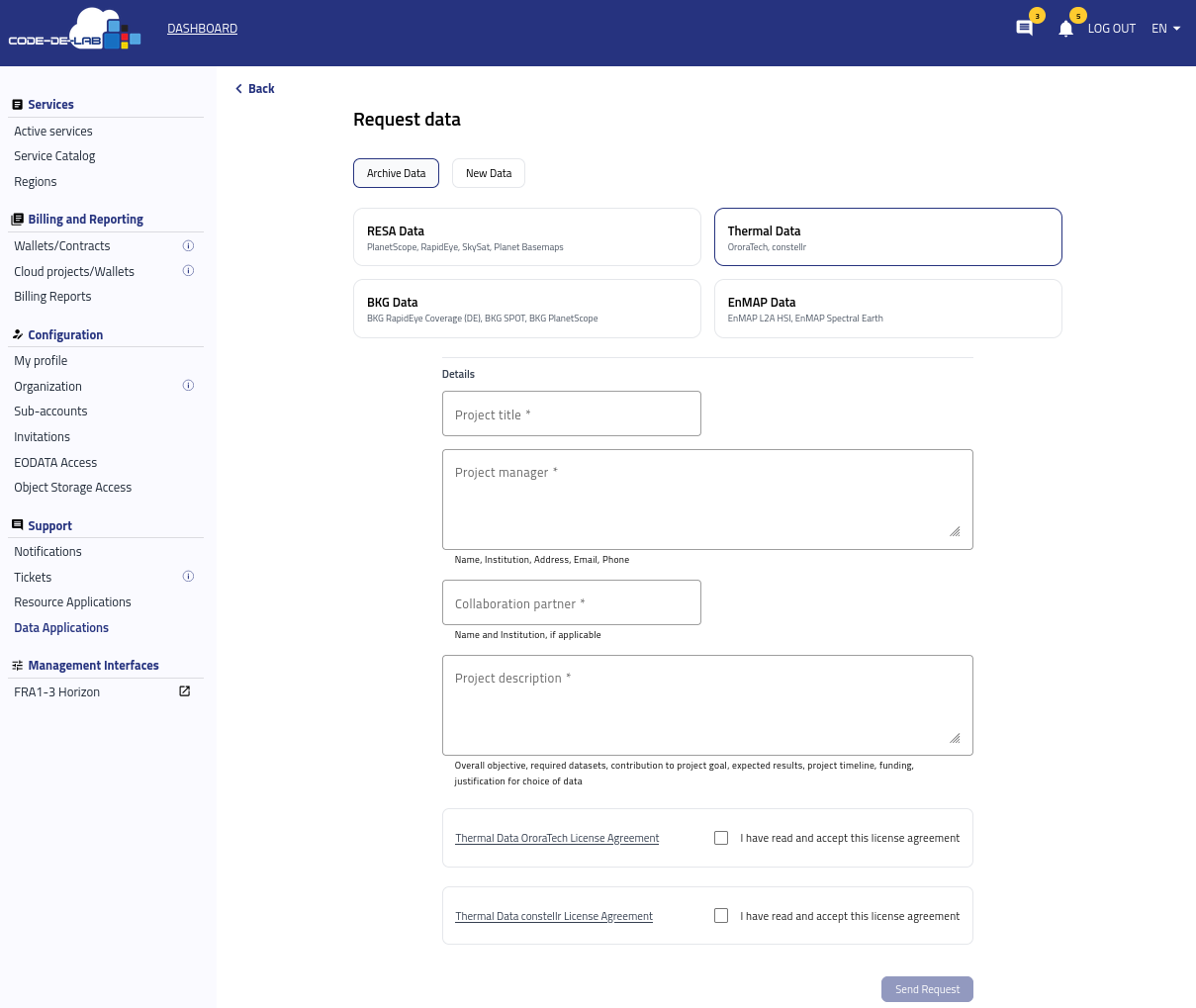
Thermal Data request fields and provider license agreements.
Complete Project title, Project manager, Collaboration partner, and Project description using the guidance above. The Thermal Data form marks the collaboration partner as required, so identify the participating person and institution as precisely as possible.
Open each displayed provider license agreement and review its conditions. Select I have read and accept this license agreement only after you have confirmed that the project’s intended users, processing, storage, publication, and distribution of results comply with the applicable terms.
BKG Data
BKG Data includes BKG RapidEye Coverage (DE), BKG SPOT, and BKG PlanetScope. These products provide satellite coverage selected for Germany and can supply a consistent geographic reference for federal, state, research, and planning tasks. Depending on the selected collection and acquisition period, the imagery can support national or regional land-cover mapping, agricultural and forest monitoring, infrastructure observation, and the creation or validation of cartographic products.
Combining older RapidEye or SPOT coverage with more recent PlanetScope data can also support multi-year change analysis. Examples include examining settlement growth, vegetation development, land-use conversion, storm or drought effects, and changes around transport or energy infrastructure. In the request, name the required BKG collection, geographic coverage, observation period, and the measurements or derived products that you intend to create.
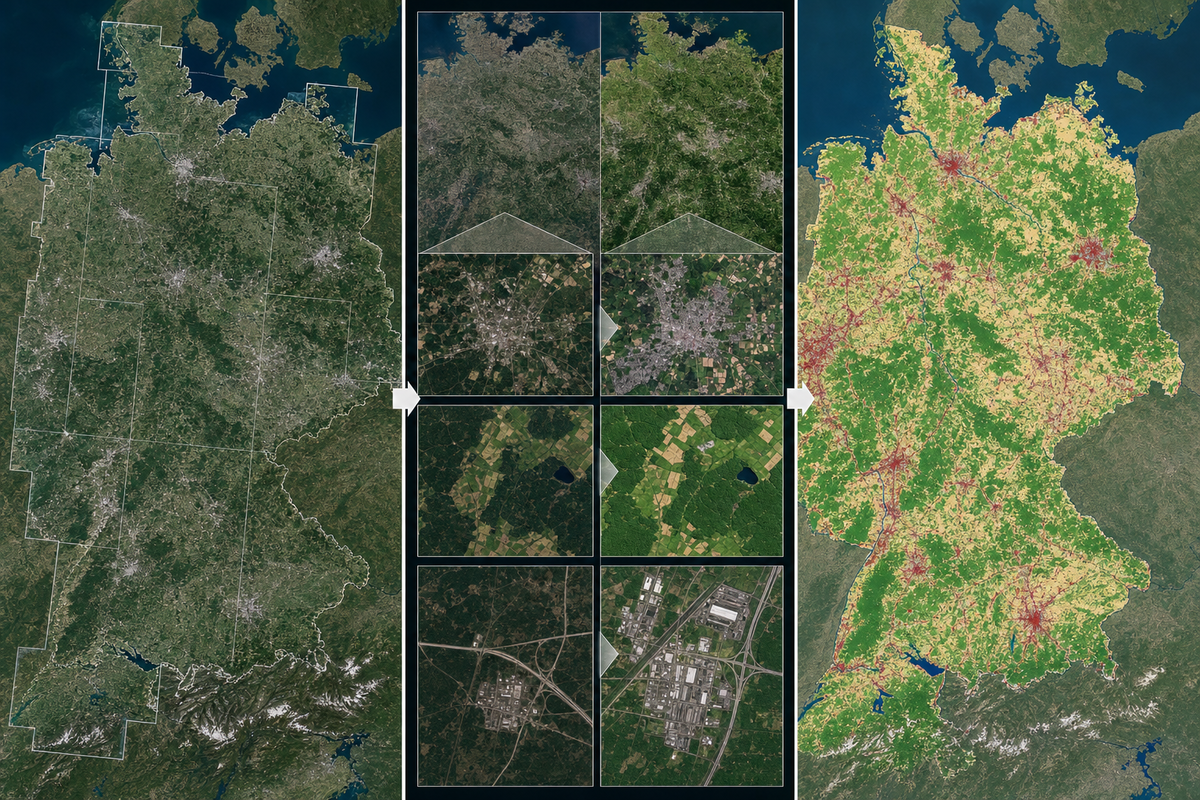
Illustrative BKG workflows: a Germany-wide mosaic, comparisons between acquisition periods, and a derived land-cover or change map. This schematic does not show actual provider imagery or product output.
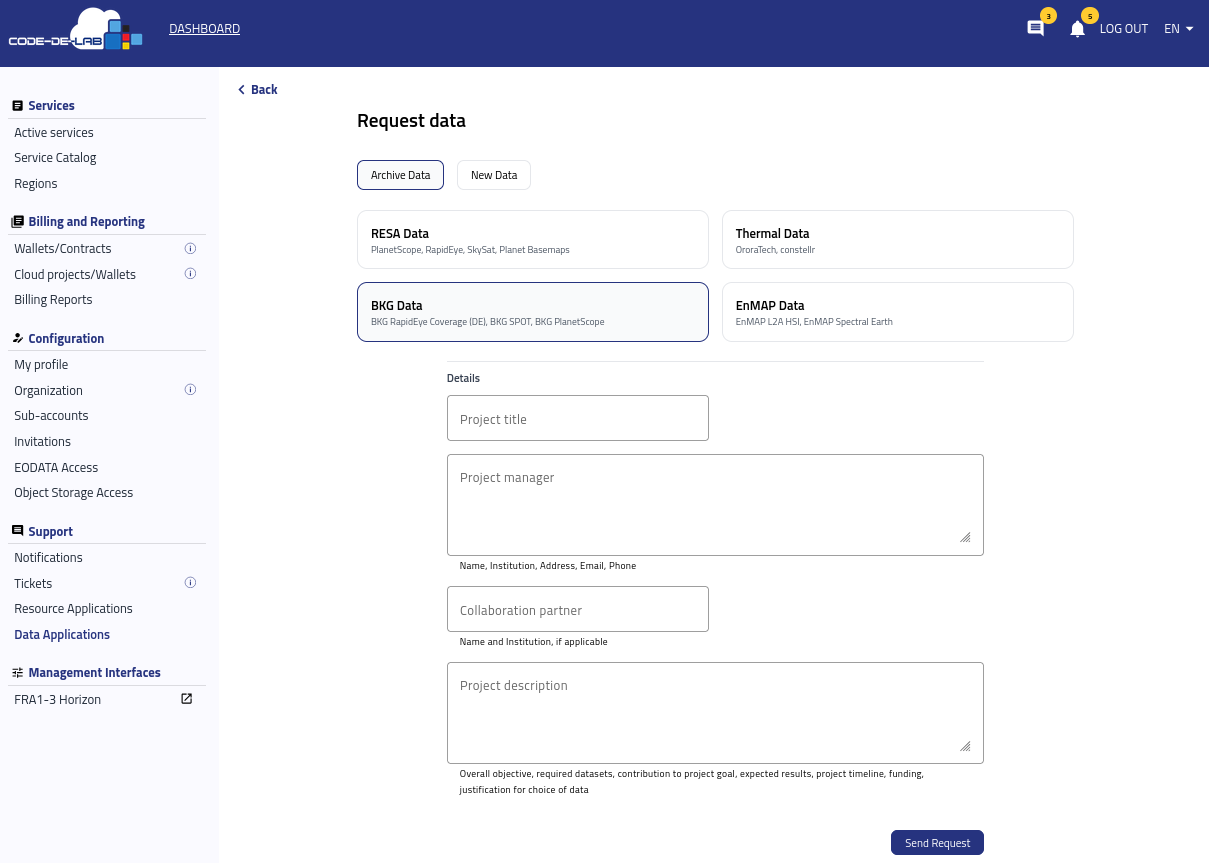
BKG Data request fields.
For Project manager, provide the complete contact information shown below the field: name, institution, address, email, and telephone number. In Project description, distinguish the geographic area from the requested coverage dates and explain whether the data will be used as a base map, for visual interpretation, or as input to a quantitative or automated analysis.
EnMAP Data
EnMAP Data includes EnMAP L2A HSI and EnMAP SpectralEarth. EnMAP L2A hyperspectral imagery provides atmospherically corrected surface reflectance and quality information across many narrow spectral bands. It can be used to characterize vegetation and crop condition, soil and mineral properties, inland and coastal waters, urban materials, environmental contamination, and the effects of hazards more precisely than is generally possible with a small number of broad multispectral bands.
EnMAP SpectralEarth is a large-scale, multi-temporal hyperspectral dataset prepared for artificial-intelligence and data-mining research. It can be used to pre-train or evaluate hyperspectral foundation models and to develop transfer-learning workflows for tasks such as land-cover or crop-type classification. In the request, make clear whether you need georeferenced L2A scenes for environmental analysis or SpectralEarth data for machine-learning development, because the products serve different workflows.
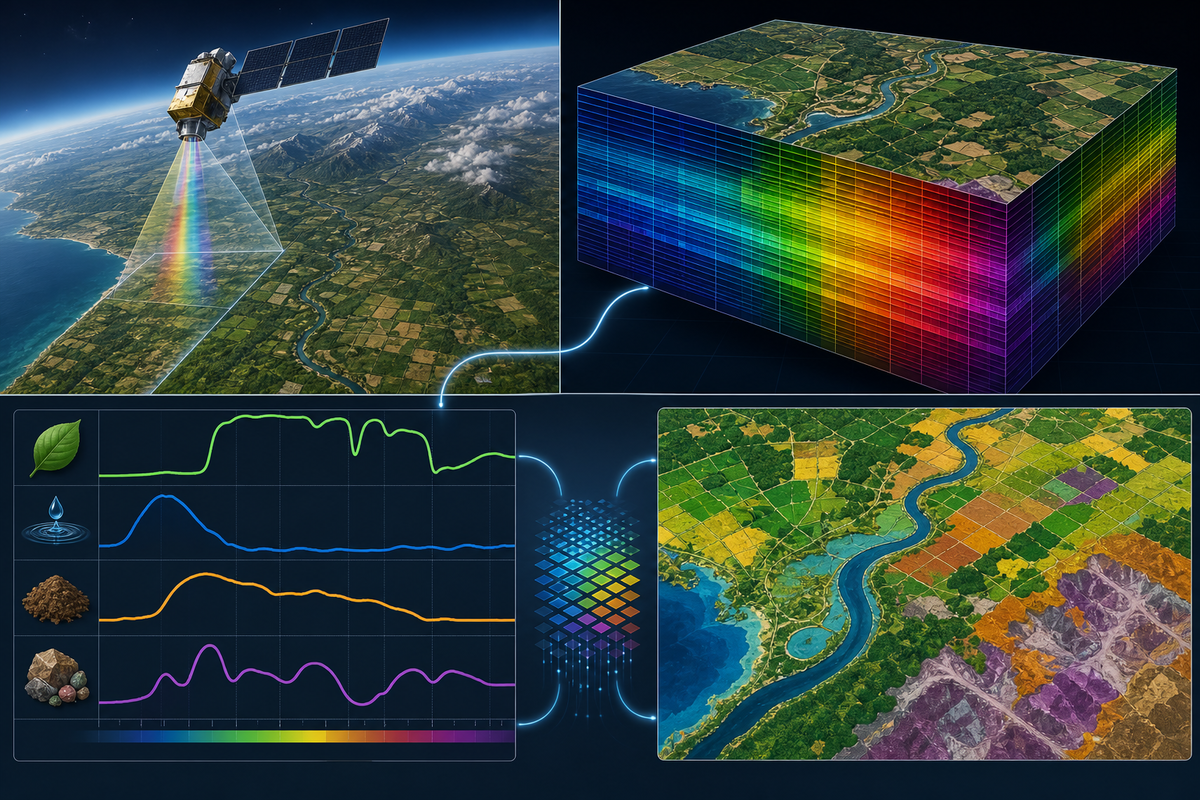
Illustrative EnMAP workflow: hyperspectral acquisition and an image cube lead to material-specific spectral signatures, classification, and machine-learning-ready data. This schematic does not show actual EnMAP imagery or product output.
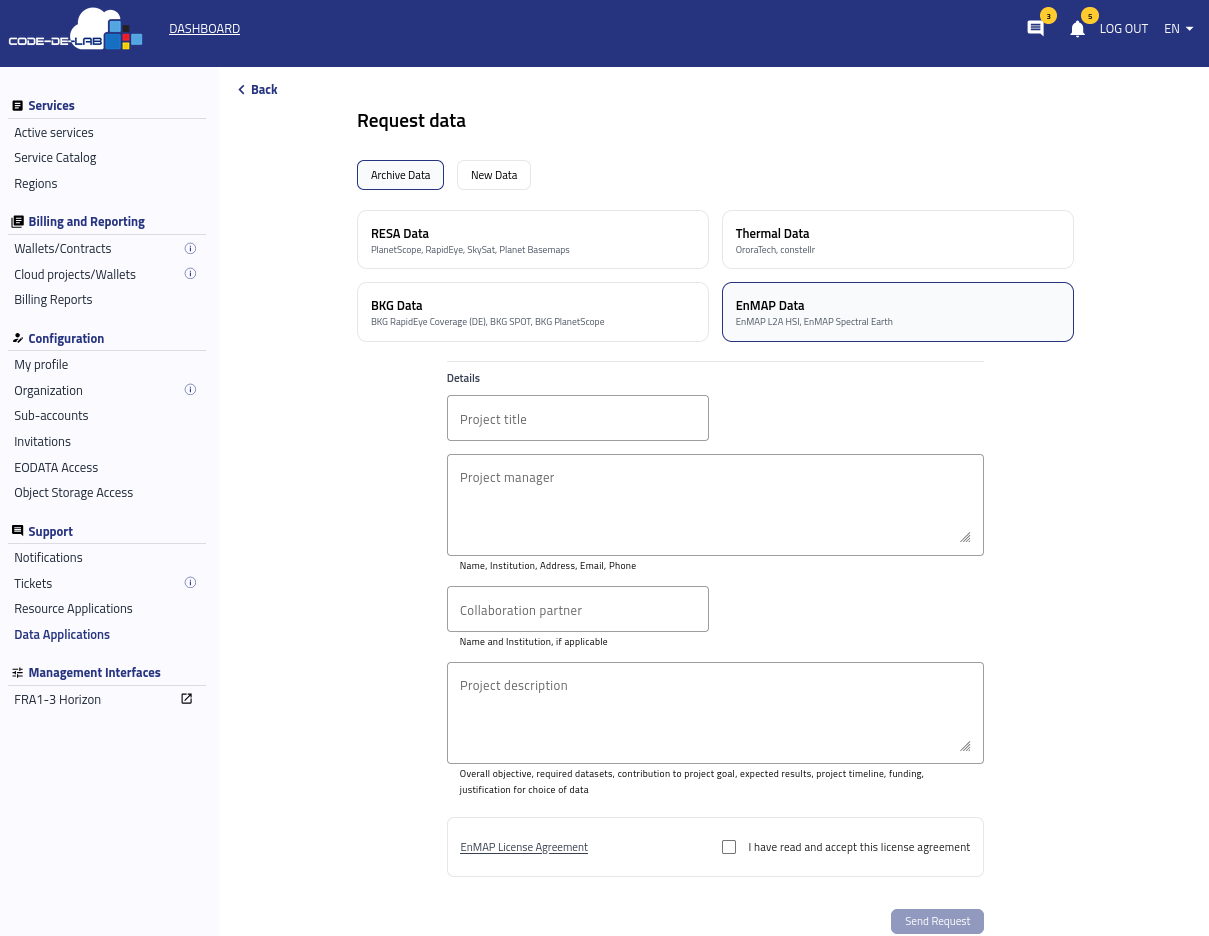
EnMAP Data request fields and the EnMAP license agreement.
Complete the common project fields and identify the required EnMAP product in Project description. Include the area and acquisition period for an L2A analysis, or describe the model, training objective, input pipeline, and expected downstream task for a SpectralEarth request. Open the EnMAP License Agreement, review it, and select the acceptance checkbox before sending the request.
New Data
Select New Data and then PlanetScope User Request when existing archive coverage does not satisfy the project’s acquisition period or monitoring requirements.
A new PlanetScope acquisition can provide repeated, current multispectral observations over a defined area. This is useful when the project must follow a growing season, vegetation stress, construction progress, land-use change, storm or fire effects, or another process whose timing cannot be addressed with the existing archive.
The requested time range and monthly coverage frequency should match the events or changes that the project needs to observe. A clearly bounded investigation area and a realistic acquisition schedule help the reviewer assess the request and determine whether the expected time series can support the intended visual, statistical, or machine-learning analysis.
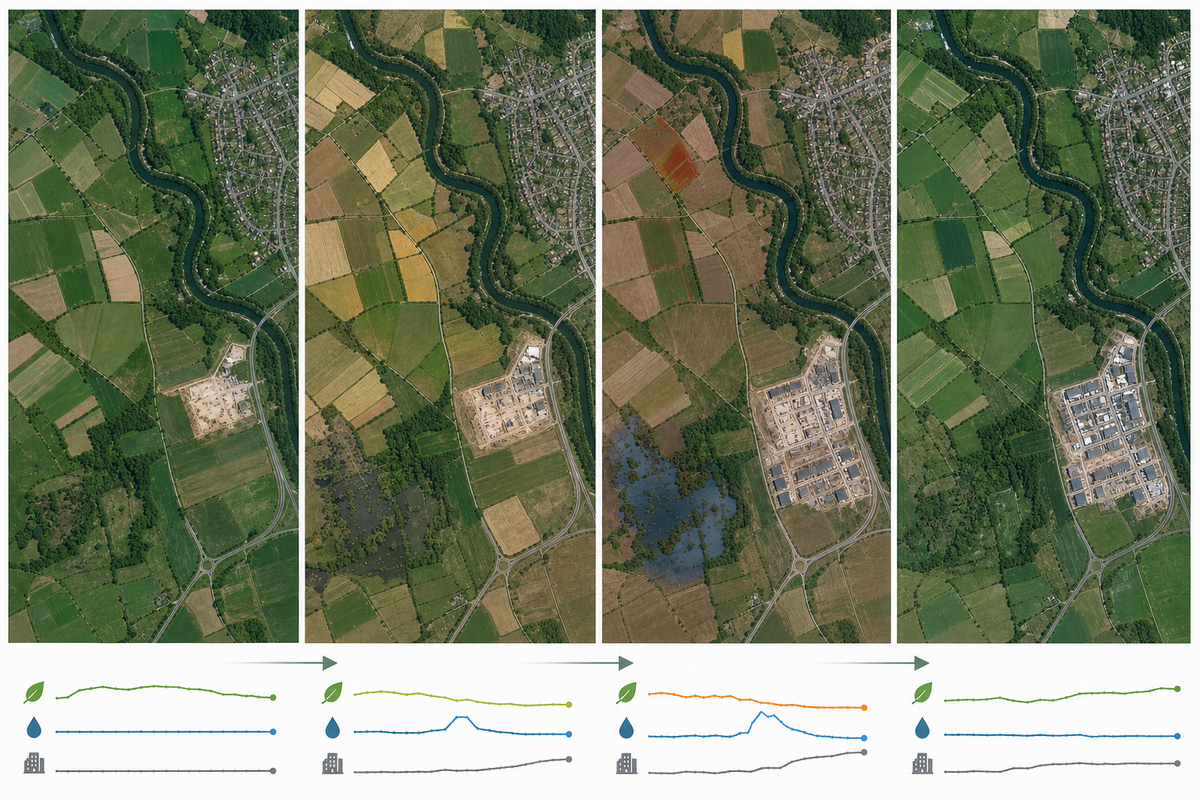
Illustrative PlanetScope time series: repeated views of one area reveal seasonal development, construction progress, vegetation stress, and flood effects. This schematic does not show actual provider imagery or product output.
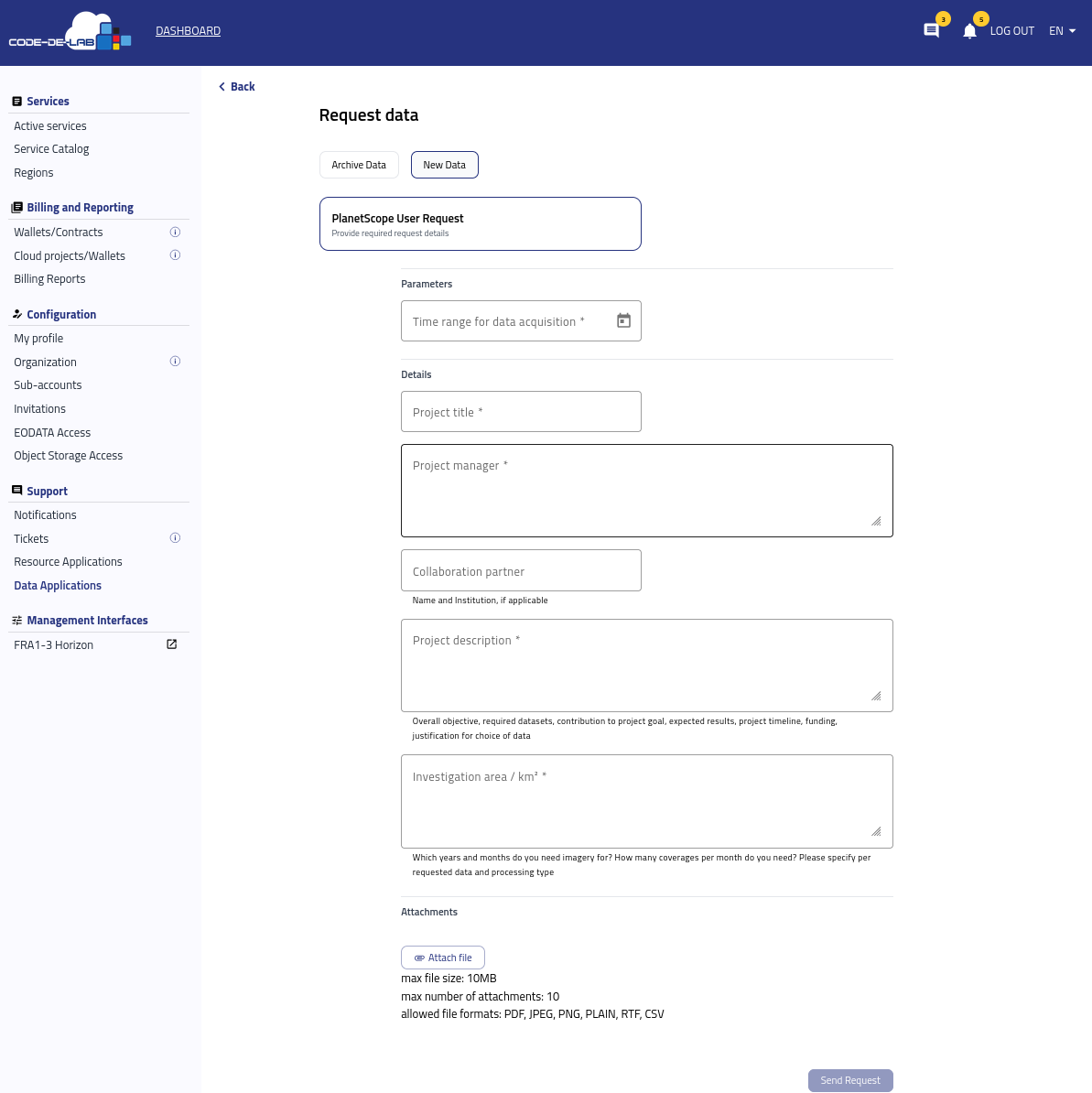
PlanetScope User Request parameters and project details.
Complete the fields as follows:
Time range for data acquisition — Select the start and end dates during which new imagery is required. Align the range with the relevant season, event, campaign, or project milestone and explain any time-critical dates in the project description.
Project title — Enter a concise title that identifies the project and area or topic of the acquisition.
Project manager — Provide the manager’s full name, institution, address, email address, and telephone number.
Collaboration partner — Enter the name and institution of a partner when applicable.
Project description — Explain the objective, required PlanetScope data and processing type, expected contribution and results, project timeline, funding, and why a new acquisition is necessary instead of archive data.
Investigation area / km² — Enter the total area in square kilometres. Also specify the years and months for which imagery is needed and the number of coverages required per month for each requested data and processing type. Use an attachment to show the boundary when a map will make the area of interest clearer.
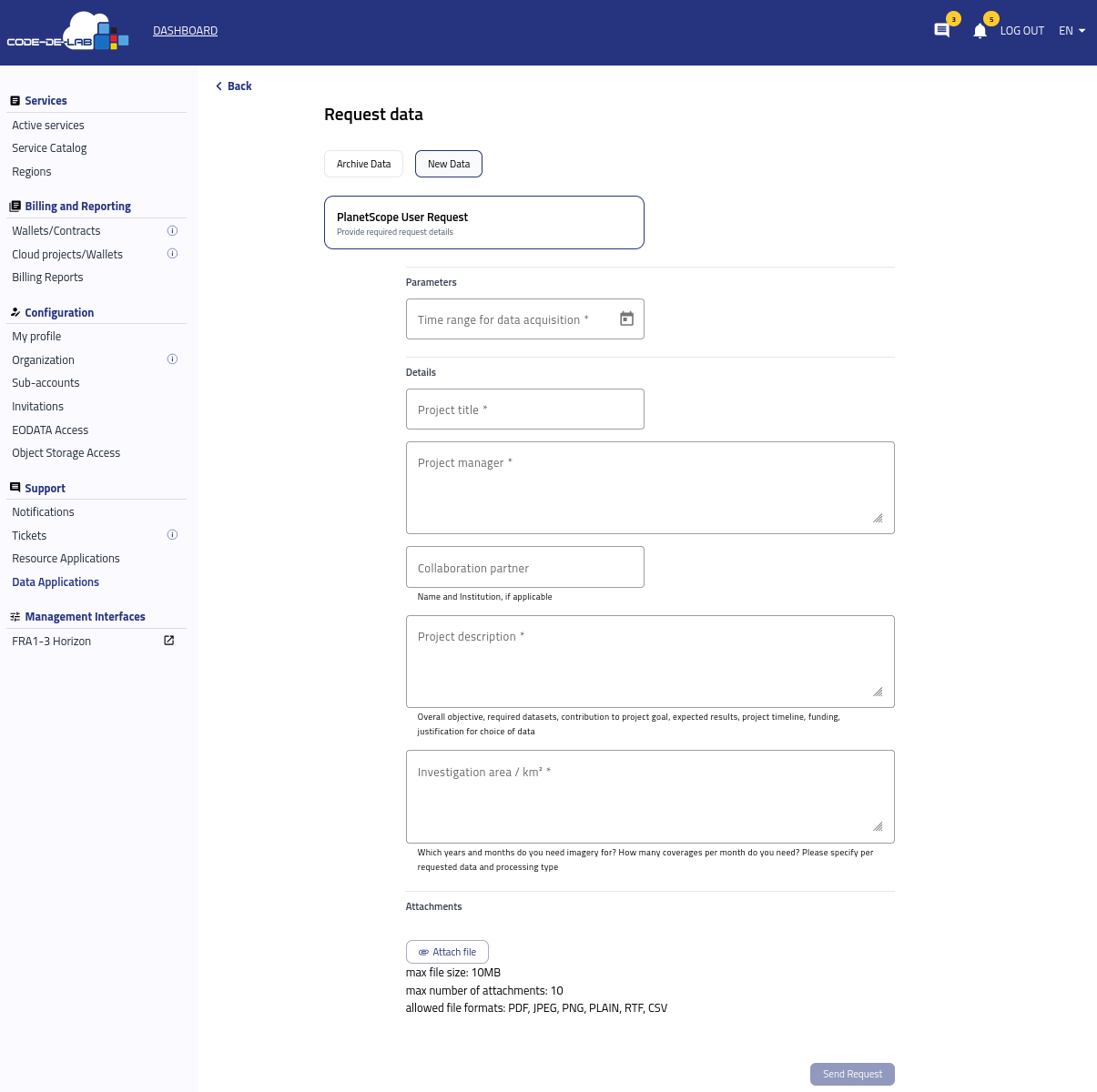
Complete PlanetScope request form with attachment controls.
Under Attachments, add any document needed to evaluate the acquisition, such as an area-of-interest map, a more detailed project description, a timeline, or a table of requested coverage dates. Each file can be up to 10 MB, and a request can contain no more than 10 attachments. The accepted formats are PDF, JPEG, PNG, plain text, RTF, and CSV.
Send the request
Review the selected data source, all entered details, the requested period and area, and every applicable license agreement. When all required fields are complete, select Send Request. Follow the resulting request in Data Applications and provide additional information if the reviewing team asks for clarification.